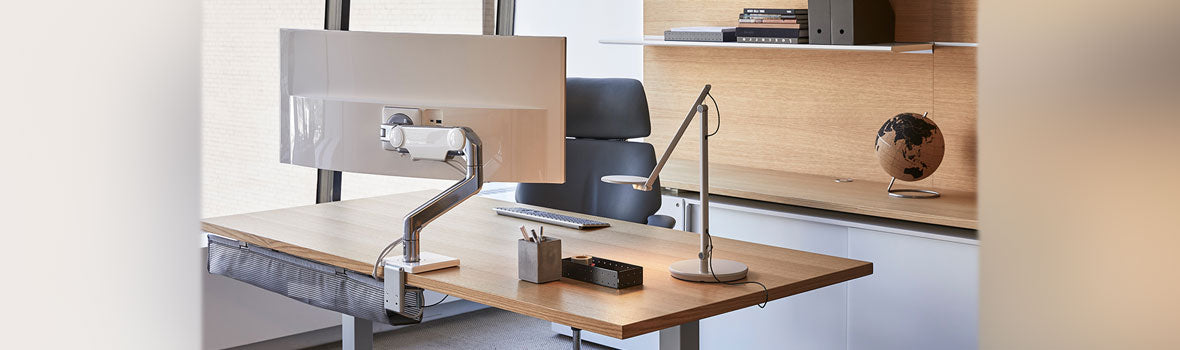
Monitor Arms Desk Clamp

Clamp mounted monitor arm on a desk

A desk clamp fixes a monitor arm to the edge of your desk without drilling, so it's the quickest and most popular way to mount a screen. Almost every arm on this page comes with a clamp, from single arms to dual and triple setups. Many also include a bolt-through fitting, so you can choose on the day. For screen sizes and weights, see our monitor arm, dual, triple and quad pages. Not sure your desk will take a clamp? Call us on 03 9888 6677.


Clamp, bolt-through or freestanding?

Fitting How it attaches Best for Check first
Desk clamp Clamps over the back or side edge of the desk Most desks; no drilling Desk thickness and space behind the desk
Bolt-through Bolts through a cable hole or a drilled hole Neat, very secure fitting; desks against a wall You need a hole in the desk, or permission to drill one
Freestanding Sits on a weighted base Glass desks and desks you can't modify Less reach than a clamped arm
Wall mount Fixes to a wall stud or masonry Clearing the desk completely Wall construction

How to choose

  1. Measure your desk thickness. Check the thickness of the desktop where the clamp will sit against the clamp range on the product page.
  2. Check the space behind the desk. The clamp and pole sit at the back edge. Leave a small gap between the desk and the wall.
  3. Check what's under the edge. A modesty panel, frame rail or drawer close to the edge can get in the way of the clamp.
  4. Thin or soft desktops? For thin, chipboard or hollow-core desks, a bolt-through fitting or a reinforcing plate spreads the load better.
  5. On a sit-stand desk? Leave enough cable slack so cables don't pull when the desk moves.

Frequently Asked Questions

Will a clamp damage my desk?

Not when it's fitted correctly. Don't over-tighten it, and on softer desktops use a bolt-through fitting or reinforcing plate.

Can I clamp to a glass desk?

We don't recommend it. Choose a freestanding stand instead.

Do I get a bolt-through fitting too?

Many arms include both. Check the product page, or call us.

x